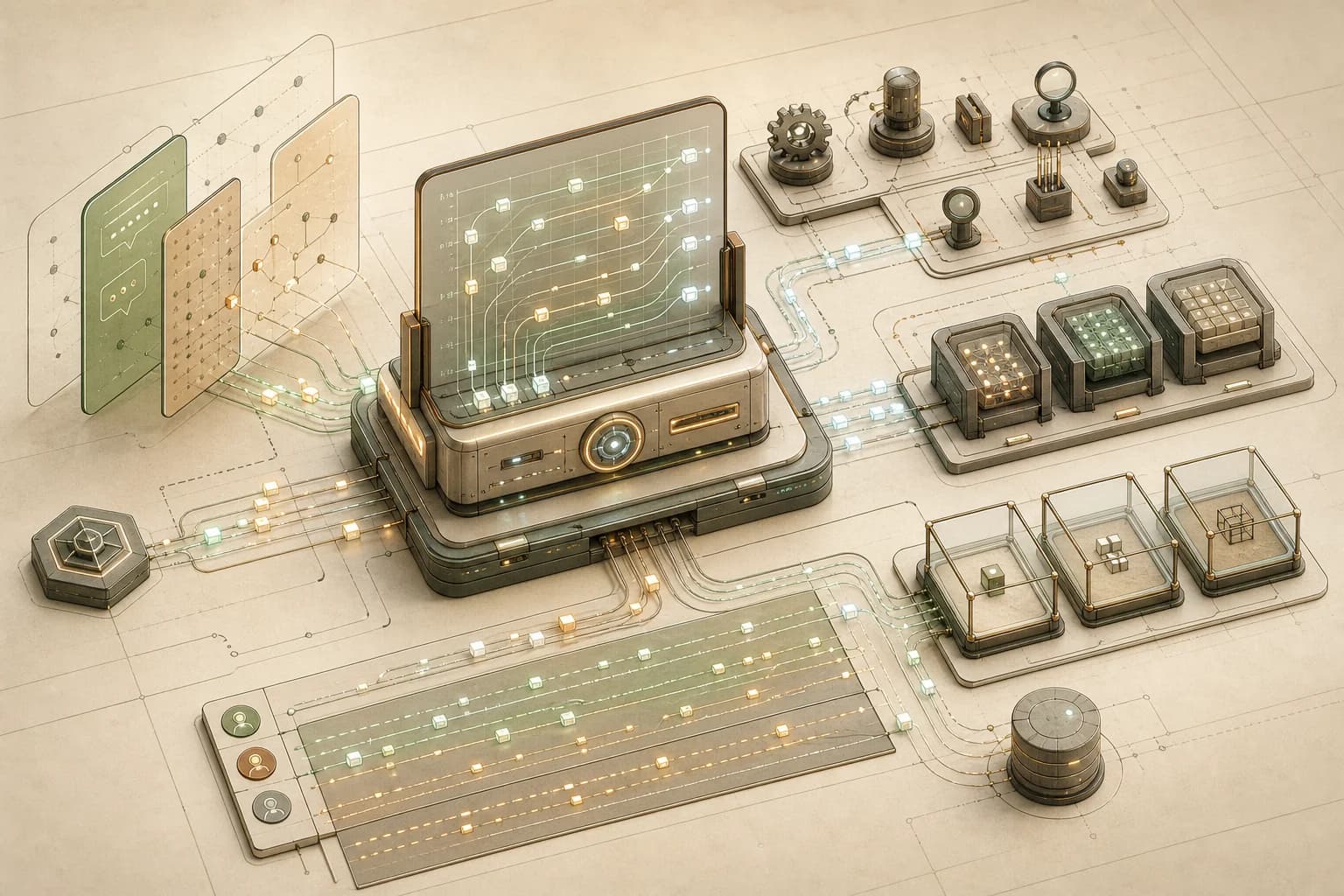
A cinematic systems explainer
How Does OpenClaw Work?
OpenClaw is easiest to understand as a self-hosted control plane: messages come in through channels, the Gateway coordinates runs, memory is written to files, tools act under policy, and risky work can move into sandboxes.
First idea
OpenClaw is a runtime boundary, not a chat skin.
The hard part is not displaying messages. It is deciding who can connect, what work is accepted, which tools exist, how events are streamed, and where risky execution is allowed.
Gateway
Owns channels, validates protocol frames, emits events, and accepts agent runs.
Agent loop
Turns accepted work into context, model calls, tool events, streams, and persistence.
Policy
Narrows capability through pairing, auth, tool visibility, sandboxing, and elevated paths.
OpenClaw is a useful system to study because it treats an AI agent as infrastructure, not as a chat box. The product shape is a control plane with separate routing, state, execution, extension, and safety surfaces around the actual model call.
The highlighted terms in this article are clickable explanations. Click them when a boundary feels fuzzy; each modal leads with the plain-English meaning, then adds only the mental model, example, compact flow, or source links that make that term easier to read in context.
In OpenClaw, those surfaces include , a , , , , , , , , , , , , , and .
This article is written for agent builders. The goal is not to memorize every OpenClaw module. The goal is to learn the production shape: how a message becomes a run, what actually enters the model prompt, how memory is stored and retrieved, which files to inspect first, how sandboxed execution changes risk, and how to test an agentic system before it starts touching real tools for real users.
The primary sources are the public OpenClaw repository, Gateway architecture docs, agent loop docs, system prompt docs, context docs, agent workspace docs, chat channel docs, SOUL.md guide, internal hooks docs, plugin hooks docs, memory overview, memory search docs, compaction docs, Active Memory docs, sandboxing docs, QA overview, personal agent benchmark pack, security audit checks, and the MITRE ATLAS threat model. I last checked the behavior-sensitive docs for this article on June 10, 2026.
The Highest-Level Picture
OpenClaw's architecture starts with one question: where should trust, routing, state, and agent execution meet?
The answer is the . The docs describe a single long-lived Gateway that owns messaging surfaces and exposes a to and nodes. bring in human intent. such as the CLI, app, web UI, and automations operate or observe the system. can advertise device capabilities. The Gateway sits between all of that and the agent runtime.
High-level architecture
Everything orbits the Gateway.
Read the flow
Inputs
Channels carry human intent, clients operate the system, and nodes advertise device capabilities.
Gateway
One daemon owns auth, typed protocol frames, request acknowledgements, and server-pushed events.
Runtime
Accepted work enters serialized session lanes, then flows through context, models, tools, and persistence.
Extension surface
Plugins and providers add tools, channels, hooks, skills, and models without bloating the core.
This is the architectural move worth copying. OpenClaw does not let every inbound chat become an unconstrained model call. It routes work through a control plane that can authenticate connections, resolve sessions, decide tool visibility, emit events, and persist evidence.
The word is worth slowing down on. In this article, a hook is not a React hook and not a model tool. It is code that OpenClaw runs at a named lifecycle point. Internal hooks are small operator automations around coarse events such as /new, /reset, agent:bootstrap, or message:sent. are typed SDK callbacks, registered by plugins, that can inspect or change deeper runtime phases such as before_tool_call, before_prompt_build, before_model_resolve, message_sending, gateway_start, and gateway_stop.
That is why hooks show up both under "extension surface" and under "plugins." A standalone internal hook is a little event-driven script. A plugin can also bring its own hooks as part of a larger capability. Either way, the hook runs around the model call; it does not become memory, and it does not automatically appear as a tool schema unless the plugin separately registers a tool.
Builder lesson: design your agent server as a control plane. A production agent needs a place where request identity, policy, runtime state, stream events, and audit evidence meet before tools are allowed to act.
What Actually Goes Into The Model Run
The easiest way to understand OpenClaw memory is to first separate from memory. Context is the bounded payload the model receives for a run: system prompt, conversation history, tool schemas, tool results, attachments, and injected . Memory is state on disk that can be injected, searched, or read into that context.
OpenClaw builds its own system prompt for each run. Part of that prompt comes from runtime state: tool visibility, sandbox state, channel details, model settings, , and session metadata. Another part comes from workspace bootstrap files such as AGENTS.md, , TOOLS.md, IDENTITY.md, USER.md, HEARTBEAT.md, BOOTSTRAP.md, and MEMORY.md when they are eligible for that runtime path and fit the configured budget.
That file list is important because the files do different jobs. AGENTS.md and TOOLS.md are operational instruction surfaces. MEMORY.md is durable memory. is the personality file: voice, stance, brevity, humor, boundaries, and default conversational feel. It is not the right place for raw facts, audit policy, or a giant life story.
So do we send SOUL.md in the context to every single LLM call? The honest answer is: not as a literal raw-file paste into every call. On normal sessions, SOUL.md is prompt material and has real weight. On native Codex runs, OpenClaw routes SOUL.md, IDENTITY.md, TOOLS.md, and USER.md through Codex's developer-instruction surface instead of repeating them as ordinary user-turn text. Sub-agent prompt modes are smaller and filter most bootstrap files out. Non-Codex harnesses still compose eligible bootstrap files into the OpenClaw prompt, bounded by per-file and total bootstrap limits. If a file is too large, it can be truncated with diagnostics instead of silently flooding the context window.
What decides which parts go in? Five things: the prompt mode for the run, the harness or runtime adapter, the configured bootstrap budgets, the active tool and plugin policy, and the memory strategy. BOOTSTRAP.md is for brand-new workspaces. HEARTBEAT.md is only relevant when heartbeat behavior is enabled. Skills usually enter as a compact available-skills list, and the model reads the full SKILL.md only when it needs that workflow. Daily memory files under memory/*.md are different again. They are detailed working notes. They are searchable and readable, but they are not meant to be pasted into every ordinary model call.
Prompt assembly
Memory reaches the model through context.
Model-bound context
One bounded payload per run
OpenClaw does not rely on hidden model state. It assembles a bounded context window from prompt instructions, workspace files, conversation state, tool schemas, tool results, and optional memory recall.
Resolve run
The Gateway accepts work, resolves the session, applies tool policy, and prepares runtime state.
Assemble context
OpenClaw combines prompt sections, workspace files, conversation state, and optional recall.
Call model
The selected model receives the bounded context and can ask for tools when policy allows.
Persist evidence
Assistant output, tool results, lifecycle events, transcript state, and memory writes are preserved.
What can enter
Runtime prompt
Gateway-owned system prompt
Tool guidance, sandbox state, model/runtime metadata, channel context, and session details.
OpenClaw rebuilds this layer for each run so the model sees the current operating envelope.
The next diagram is a packing diagram, not a flow chart. Some text sections are effectively concatenated into an ordered prompt surface. Other pieces travel as separate provider request fields: message arrays, tool schema JSON, tool-call history, attachments, and provider-owned wrappers. The useful mental model is a rack of context contributors that together consume the model's context window.
Context window layout
The model sees a stack, not the whole workspace.
Request shape
Packed context window
Read this like a memory-layout chart. The bands do not transform into each other; they are assembled into the provider request as prompt text, message history, tool schemas, attachments, and runtime-owned metadata.
Full
Included as complete text or message content.
Bounded
Included up to configured per-file or total caps.
Selected
Chosen by policy, retrieval, prompt mode, or hooks.
Generated
Rendered from live runtime state for this run.
Provider / Harness Envelope
Usually hidden, still countedModel-family wrappers, provider headers, harness base instructions, and cache-boundary behavior.
OpenClaw System Prompt
Generated each runExecution bias, tool style, safety notes, runtime metadata, sandbox state, channel details, and output directives.
Workspace / Project Context
Full or bounded filesEligible AGENTS.md, TOOLS.md, SOUL.md, IDENTITY.md, USER.md, HEARTBEAT.md, BOOTSTRAP.md, and bounded MEMORY.md fallback.
Skills And Tool Inventory
Compact list + selected schemasSkill metadata enters as a compact list; full SKILL.md files are read on demand. Effective tool schemas are sent separately as callable JSON.
Memory Recall
Selected snippets, not the archivememory_search results, memory_get excerpts, Active Memory prefix, or a bounded MEMORY.md fallback when tool recall cannot run.
Session History
Recent full turns + compacted old turnsRecent user/assistant messages, tool calls, tool results, attachments, compacted summaries, and pruning artifacts.
Queued / Hook-Injected Context
Optional per turnPlugin or internal hook additions such as policy summaries, approval resumes, background monitor deltas, or prompt mutations.
Current User Turn
Current message payloadThe latest user request, channel metadata, and attached file/image/audio parts that are eligible for this run.
What decides inclusion
Prompt mode
Main runs usually get the full prompt. Sub-agents and special runs can use smaller modes that filter out most bootstrap files.
Harness path
Native Codex receives files such as SOUL.md through instruction surfaces; non-Codex harnesses compose eligible files into OpenClaw's prompt.
Budget
Bootstrap files are bounded by per-file and total limits. Oversized files can be truncated with diagnostics instead of becoming an unlimited prompt dump.
Policy and plugins
Tool policy decides visible tools. Hooks and plugins may inject context, require approval, block work, or change model/runtime choices.
Recall signal
Daily memory files usually enter only after memory_search, memory_get, Active Memory, or a startup/reset exception selects relevant material.
Memory can reach the model through several paths. A compact MEMORY.md may be included as bounded bootstrap context depending on the runtime path and budget. On native Codex runs with memory tools available, OpenClaw usually sends a small memory note and expects the model to use memory_search or memory_get when durable memory is relevant, instead of pasting MEMORY.md into every turn. A normal agent turn can call and receive relevant snippets as tool results. , when enabled, can run a hidden pre-reply recall sub-agent that searches memory before the main answer and injects only a short relevant prefix.
Builder lesson: do not blur storage and injection. A production agent should make context assembly explicit: which files are always prompt material, which notes are retrieved on demand, which tool outputs enter the current turn, and which memories are durable enough to steer future behavior.
Memory Is File-Backed, Then Retrieved
OpenClaw does have a short-term and long-term memory concept, but it is not hidden model state. The public memory docs are explicit: the model only "remembers" what gets saved to disk. That matters. It means memory is inspectable, editable, searchable, and debuggable.
The main layers are :
MEMORY.mdis durable long-term memory: facts, preferences, standing decisions, and compact summaries.memory/YYYY-MM-DD.mdand slugged daily files are working memory: daily notes, observations, and detailed context that should usually be searched or read on demand.DREAMS.mdis an optional review layer for dreaming and historical backfill summaries before durable promotion.
Memory model
OpenClaw memory is written, searched, and promoted.
MEMORY.md
Long-term memory
Role
Compact, curated facts, preferences, standing decisions, and summaries that should be available through bounded bootstrap context or memory tools.
How it updates
Updated when the agent is asked to remember something, when daily notes are distilled, or when a promotion pass decides a fact is durable.
Builder lesson
Keep durable memory small and source-aware. It should steer future behavior, not become a transcript dump.
Capture
Conversation, tool results, daily notes, and explicit remember requests create memory candidates.
Search
memory_search finds likely chunks; memory_get reads exact files or line ranges, and those tool results enter the current turn context.
Flush
Before compaction, a silent housekeeping turn can save important unsaved context. This is not a memory write on every turn.
Promote
Optional dreaming collects short-term signals, scores candidates, and promotes only qualified material into MEMORY.md.
Memory gets updated through several paths, but not automatically on every user message and not on every LLM call. A normal turn is first written into the session transcript. Memory files change only when a memory-writing path fires: a user asks the agent to remember something, the agent writes a daily note, a reset or daily-summary hook stores session context, runs before compaction, or optional dreaming promotes stable candidates into MEMORY.md.
Retrieval is just as important as writing. The memory_search tool finds relevant notes by indexing memory into chunks and searching with semantic embeddings, keyword matching, or both. The memory_get tool reads a specific memory file or line range when the model needs the exact evidence. Those results come back as tool output, and that tool output becomes part of the current model context.
These are not generic model abilities. They are OpenClaw tools registered by the selected memory plugin. The default path is the bundled memory-core plugin, whose public source defines the memory_search and memory_get tools. Other memory backends can change the retrieval contract, but the useful mental model stays the same: the model does not absorb the whole memory archive; it asks for relevant pieces.
The compaction path is also easy to misunderstand. When a conversation approaches the context limit, OpenClaw summarizes older transcript history so the chat can continue. Before that summary happens, OpenClaw can run a silent housekeeping turn that reminds the agent to save important unsaved context into memory files. Then compaction writes a summary into the session transcript and keeps recent messages intact. The full history still exists on disk; the next model run sees the compacted summary plus recent context, not every old token.
Builder lesson: memory should be a pipeline, not a vibe. Separate durable facts from working notes, make retrieval explicit, record sources, and promote memories only when they are stable enough to affect future behavior.
The Critical Files To Open First
The OpenClaw repository is large enough that "read the repo" is not useful advice. A better strategy is to read responsibilities.
Start with the public docs for the shape, then open the files that own the boundary you are trying to understand. The Gateway and protocol files explain how clients connect and runs are accepted. The agent runner files explain queueing, model calls, tool events, and persistence. Tool policy files explain what the model can see. Memory plugin files explain recall and promotion. Sandbox docs and security files explain isolation and audit posture. QA files explain how OpenClaw proves behavior across scenarios.
Files to open first
Read the codebase through responsibilities.
Gateway and protocol
This is where client connections, typed request handling, agent RPCs, and event emission come together.
Builder lesson
Put trust, routing, acknowledgements, and stream events behind one explicit control-plane boundary.
This file map is also a good template for your own system. If you cannot point to the equivalent files in your agent platform, the boundary is probably implicit. Implicit boundaries are where production incidents hide.
Builder lesson: document the first files a new engineer should read. For agent systems, those files should map to control plane, run loop, context, tools, memory, sandboxing, and evaluation.
A Message Becomes A Run
The agent loop docs describe a real as intake, context assembly, model inference, tool execution, streaming replies, and persistence. OpenClaw returns an accepted run id quickly, then streams assistant, tool, and lifecycle events until the run ends or errors.
Runtime flow
A message becomes a serialized agent run.
Frame 1 of 6
Message arrives
A person sends a message through a configured channel or client.
A run uses so two overlapping turns do not corrupt the same transcript or workspace state. Transcript writes also use locks, which matters when multiple code paths or processes could touch session files. Wait semantics, timeouts, compaction, retries, and diagnostic recovery are all part of the operational envelope.
Agent loop
The loop is the unit of real work.
Step 1
Intake
Validate the request, resolve the session, persist metadata, and acknowledge the run.
In practice, this is why an agent platform needs queues, stream events, state locks, timeouts, and recovery behavior. The model call is only one frame inside the run.
The model call is only one frame inside the run. The surrounding system resolves the session, prepares the workspace, loads skills, builds prompt context, resolves model/auth configuration, streams output, executes tools, sanitizes results, writes transcript state, and emits lifecycle events.
Builder lesson: make "run" a first-class object. It should have an id, accepted time, session key, stream events, tool events, lifecycle state, timeout behavior, and persisted evidence. If a user asks what happened yesterday, your system should be able to answer from artifacts, not memory.
Sandboxing Narrows Blast Radius
Sandboxing is not a magic security switch. In OpenClaw, it is a routing decision for tool execution. The Gateway stays on the host. When sandboxing is enabled, file, process, browser, and related tools can run inside a configured .
Sandboxing
Sandboxing is a routing decision for tool execution.
Effective mode
non-main
Good default for mixed personal-agent use, but teams must understand what counts as a non-main session.
Docker
Local development and local isolation.
Runs sandboxed tools and optional sandbox browsers in local containers; Docker network defaults are intentionally restrictive.
SSH
Offloading tool execution to a remote machine.
Seeds a remote workspace once, then runs file and exec tools directly through a remote-canonical workspace.
OpenShell
Managed remote sandboxes with mirror or remote workspace modes.
Reuses the SSH bridge while adding managed sandbox lifecycle and optional sync semantics.
When to use sandboxing
Use sandboxing for messages from groups, public channels, external users, webhooks, or unreviewed automations.
Use sandboxing for file edits, shell commands, browser control, media processing, or any tool that can read or mutate local state.
Use read-only or no-workspace access when the agent only needs inspection, not edits.
Avoid broad bind mounts; they pierce the filesystem boundary and should be narrow, reviewed, and usually read-only.
Treat elevated execution as a logged break-glass path, not as a normal workaround.
The useful distinction is this:
- Sandbox configuration decides where tools run: host or sandbox backend.
- Tool policy decides which tools are available in the first place.
- is an explicit escape hatch for running outside the sandbox when that is allowed.
This separation is important. If a tool is denied, sandboxing does not bring it back. If a bind mount exposes a sensitive host directory, sandboxing cannot pretend that directory is isolated. If elevated execution is enabled casually, the sandbox becomes a suggestion rather than a boundary.
Use sandboxing when the agent is exposed to untrusted input, shared channels, external users, web content, file edits, shell commands, browser control, media processing, or any workflow where a confused model can read or mutate state you care about. Use read-only or no-workspace access when the agent only needs inspection. Keep bind mounts narrow and usually read-only.
Security model
Security is layered, not a single switch.
Outcome
Allowed inside the sandbox: the tool can act, but the blast radius is narrowed.
Boundary map
- Untrusted message
- Pairing and auth
- Tool visibility
- Sandbox or host execution
- Persisted session evidence
Builder lesson: treat tool execution as a deployment target. "Can the model call this tool?" is not enough. Ask where it runs, what filesystem it sees, whether it has network access, what escape hatches exist, and how the decision will be explained when something is blocked.
Evals And Red-Teaming
OpenClaw does not rely on one generic "the bot answered well" benchmark. Its public docs and repository show several evaluation and security layers: repo-backed QA scenarios, mock-provider lanes, live transport QA, character evals, personal-agent benchmark scenarios, security audit checks, static regression rules, a MITRE ATLAS threat model, and formal security models.
Evals and red-team practice
Production agents need behavioral tests and adversarial probes.
qa/scenarios plus openclaw qa suite
Scenario QA
Channel routing, memory recall, model switching, approval denial, redaction, tool followthrough, failure recovery, and artifact evidence.
Copy this into your agent system
Write behavior-shaped scenarios with seeded state, exact pass criteria, and a repeatable mock-model lane before adding live providers.
Red-team checklist
Seed realistic state: memory files, fake credentials, sessions, channels, and artifacts.
Assert the trajectory, not just the final answer: tool use, denial behavior, event stream, and persisted evidence.
Include hostile inputs: prompt injection, secret exfiltration attempts, unsafe file reads, broad shell requests, and untrusted web content.
Run deterministic mock-provider tests on every change and reserve live-model/live-channel tests for release gates or bug reproduction.
Publish only redacted artifacts; raw personal content and credentials should never be required to debug a failed eval.
This is the right direction for production agents because agent failures are rarely just bad prose. They are often boundary failures:
- The agent used the wrong session.
- It forgot a memory or hallucinated one.
- It exposed a secret in logs.
- It claimed work was done before evidence existed.
- It followed prompt injection from fetched content.
- It used a tool after an approval denial.
- It treated a public channel like a trusted private operator.
- It ran a command on the host when it should have stayed sandboxed.
OpenClaw's scenario catalog makes those behaviors testable. The personal-agent benchmark pack uses fake users, fake preferences, fake secrets, and temporary workspaces. The QA matrix and live transport lanes exercise real channel behavior. Security audits report structured findings. The OpenGrep rulepack catches dangerous code patterns. The threat model maps adversarial paths such as prompt injection, tool misuse, supply-chain compromise, endpoint exposure, and exfiltration risk.
Red-teaming your own agentic system should combine all of those layers. Write deterministic scenario tests. Add live-channel tests for transport-specific behavior. Add hostile prompts and indirect prompt-injection cases. Test denial paths, not just success paths. Check that artifacts are redacted. Convert every confirmed bug class into a regression test.
Builder lesson: evaluate the trajectory, not only the answer. A useful agent eval should inspect inputs, chosen tools, approval gates, memory retrieval, sandbox posture, emitted events, stored artifacts, and final user-visible output.
The Terminology
OpenClaw's names are practical once you map them to boundaries.
Terminology
The names are clues to the system boundaries.
Gateway
Gateway is a component that sits between two systems and controls how requests/responses move from one side to the other. It can additionally modify the passed request/response as well.
Mental model
The Gateway is the control-plane hub. Channels, clients, nodes, providers, plugins, sessions, and the agent runtime all meet there.
Why it matters here
A production agent needs one accountable place for trust, routing, state, stream events, and policy before model/tool work begins.
Small example
A Slack message enters, the Gateway resolves the session, acknowledges an accepted run id, streams events, and persists evidence.
Related terms
References
The difference between a tool, a skill, and a plugin is especially transferable:
- Use a tool when the agent must act.
- Use a skill when the agent needs reusable instructions for how to act.
- Use a hook when something should run at a named lifecycle event around the model call.
- Use a plugin when the runtime itself needs a packaged capability, provider, channel, tool, hook, or skill bundle.
Builder lesson: name your extension points by responsibility. Tools, instructions, providers, hooks, and channels should not all collapse into one vague "integration" layer.
Build Your Own Smaller Version
If you were building a smaller OpenClaw-like platform, do not start with every provider, channel, UI, or plugin. Start with the responsibilities that make a model call safe and operable.
Builder blueprint
To build your own version, copy the responsibilities, not the code.
Control plane
Typed protocol
Session store
Queue lanes
Context engine
Tool system
Extension system
Sandboxing
Observability
Docs and QA
The minimum serious version would include:
- A control-plane server that owns authentication, sessions, and .
- A typed protocol so clients and know what messages are valid.
- A run object with accepted, streaming, final, error, timeout, abort, and wait states.
- for transcript and workspace consistency.
- A context engine that assembles system prompt, skills, memory, and bootstrap files.
- A memory pipeline with durable memory, working notes, retrieval, flush, review, and promotion.
- A tool system with allow, deny, sandbox, provider, channel, and approval behavior.
- An extension model for providers, channels, hooks, and packaged capabilities.
- A sandbox strategy for untrusted or high-risk tool execution.
- Scenario evals, security audits, red-team probes, logs, and share-safe artifacts.
That is the deeper idea OpenClaw teaches: the product is not the model call. The product is the operational envelope around the model call.
References
Primary sources and deeper dives.
OpenClaw repository
Public code layout, package structure, docs, extensions, runtime modules, QA scenarios, and security tooling.
OpenClaw docs index
Public documentation index used to locate architecture, memory, sandboxing, QA, and security pages.
Gateway architecture
Gateway, client, node, protocol, pairing, and WebSocket architecture.
Agent loop
Run lifecycle, serialization, context preparation, streaming, persistence, and recovery.
System prompt
How OpenClaw assembles prompt sections, workspace bootstrap files, runtime metadata, and prompt modes.
Context
What counts toward the model context window, including system prompt, history, tools, files, and compaction.
SOUL.md guide
How OpenClaw uses SOUL.md as a concise voice and personality layer.
Hooks
Internal hook events, bundled hooks, and the distinction between file-based operator hooks and typed plugin hooks.
Plugin hooks
Typed plugin hook phases for model resolution, prompt build, tool calls, messages, sessions, installs, and Gateway lifecycle.
Memory overview
File-backed memory, memory tools, automatic memory flush, and dreaming promotion.
Memory search
Hybrid recall with embeddings, keyword search, memory chunks, and provider configuration.
Compaction
How older messages are summarized, recent messages are kept, and pre-compaction memory flush prevents context loss.
Active Memory
Optional pre-reply memory recall that can surface relevant memory before the main answer.
memory-core tools
Public source for the default memory_search and memory_get tool registration.
Sandboxing
Sandbox modes, scopes, backends, browser sandboxing, workspace access, and elevated execution boundaries.
QA overview
Scenario suites, mock providers, live channel lanes, reports, and character eval commands.
Personal agent benchmark pack
Local personal-agent scenarios for memory, redaction, reminders, safe tool use, and failure recovery.
Security audit checks
Structured audit finding IDs for deployment, filesystem, gateway, sandbox, tool, plugin, and skill posture.
MITRE ATLAS threat model
Threat modeling across agent runtime, Gateway, channels, tools, marketplace, and external content boundaries.